Best Gameboy emulator for Android
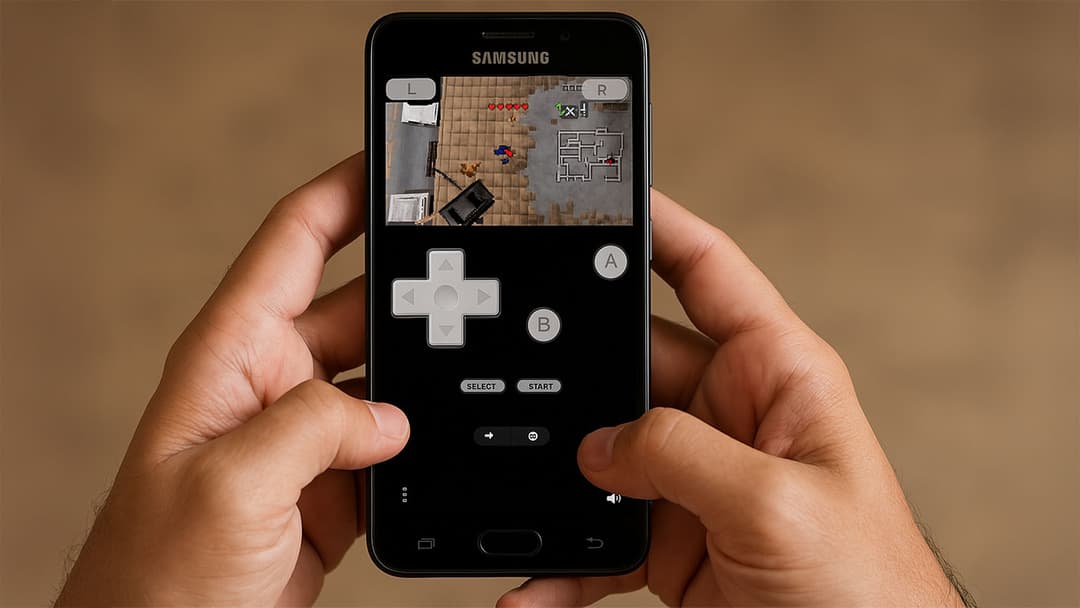
Looking for the best Gameboy emulator for Android? You’re not alone. Nostalgic gamers and new fans alike are seeking an easy way to enjoy classic Nintendo titles on modern smartphones. With the right emulator, you can relive favorites like Pokémon Red/Blue, The Legend of Zelda, or Super Mario Land — all without needing the original hardware. In this post, we’ll explore the top options to keep your retro gaming dreams alive on the go.
Rediscovering retro gaming on Android
Android emulators for Gameboy come in different varieties, from lightweight, free apps to feature-packed paid versions. Some focus strictly on Gameboy and Gameboy Color, while others can handle multiple systems, including the Gameboy Advance. Below is a curated list that blends performance, ease of use, and compatibility, ensuring you’ll find the perfect emulator to suit your needs.
Top 6 Gameboy emulators for Android
1. Pizza Boy Emulator
[appbox googleplay it.dbtecno.pizzaboygba]
Description
Pizza Boy Emulator is known for its blazing-fast performance and intuitive interface. This lightweight app allows you to load any Gameboy or Gameboy Color ROM quickly, so you can jump right into nostalgic classics. The developer offers frequent updates, ensuring improved stability and functionality over time.
Key Features
- High-speed emulation
- Auto-save and save states
- Customizable controls
- Cheat code support
- Fast forward and slow-motion
Platform Availability
- Android
Pros & Cons
- Pros: Smooth performance, regular updates, modern UI
- Cons: Some advanced features only in the paid version
2. My OldBoy!
[appbox googleplay com.fastemulator.gbc]
Description
My OldBoy! is one of the most popular choices among retro gaming enthusiasts looking for a reliable and free app for Gameboy emulation. Its user-friendly interface and broad compatibility make it ideal for both beginners and experienced gamers. Opt for the paid version if you want advanced features like cheat codes and turbo mode.
Key Features
- High compatibility for Gameboy and Gameboy Color
- Customizable on-screen controls
- Link cable emulation for Pokémon trades
- Fast forward and slow-motion
- Saves and load states
Platform Availability
- Android (Free/Paid)
Pros & Cons
- Pros: Stable, widely supported, optional free version
- Cons: Restricted features in free version
3. RetroArch
[appbox googleplay com.retroarch]
Description
RetroArch is a multi-system emulator that supports various consoles, including NES, SNES, Gameboy, Gameboy Advance, and more. It’s highly customizable, making it a top choice for advanced users who enjoy configuring settings to achieve optimal performance. However, it can be intimidating for those new to emulators.
Key Features
- Multiple emulator cores for different systems
- Cross-platform (Android, iOS, PC, etc.)
- Online multiplayer for some cores
- Comprehensive configuration options
- Open-source community support
Platform Availability
- Android, iOS, Windows, macOS, Linux
Pros & Cons
- Pros: All-in-one solution, extensive customization, free to use
- Cons: Steeper learning curve
4. John GBAC
[appbox googleplay com.johnemulators.johngbac]
Description
John GBAC is a combination of the previous John GBA and John GBC apps, offering both Gameboy Color and Gameboy Advance emulation in a single package. It’s known for its stability and straightforward interface, making it perfect for those who just want to dive into their favorite retro titles without complex setup.
Key Features
- Cloud syncing via Dropbox
- Cheat code support
- Turbo button (fast forward)
- Clean interface and easy navigation
- Customizable control layout
Platform Availability
- Android
Pros & Cons
- Pros: Reliable performance, cloud saving, user-friendly
- Cons: Some features locked behind paid version
5. GBC.emu
[appbox googleplay com.explusalpha.GbcEmu]
Description
GBC.emu by Robert Broglia focuses on precision. It offers robust compatibility with the majority of Gameboy and Gameboy Color ROMs, delivering an accurate recreation of the original handheld experience. Although it doesn’t have a free version, it’s an excellent option if you’re seeking a high-performance emulator with no ads.
Key Features
- BIOS emulation (no need for separate files)
- Quick save states
- External controller support
- On-screen control customization
- Ad-free experience
Platform Availability
- Android
Pros & Cons
- Pros: High compatibility, ad-free, stable performance
- Cons: No free trial
Conclusion
Selecting the best Gameboy emulator for Android ultimately depends on your gaming style and priorities. If you want a sleek, user-friendly app with solid free features, Pizza Boy Emulator stands out. My OldBoy! also has a free version with link cable support for Pokémon trades, while RetroArch remains a great multi-system solution for advanced users. If you prefer a stable, ad-free platform, GBC.emu is well worth the small investment.
Enjoy your trip down memory lane, and pick the emulator that suits you best. Happy gaming!