Best Spotify equalizer settings
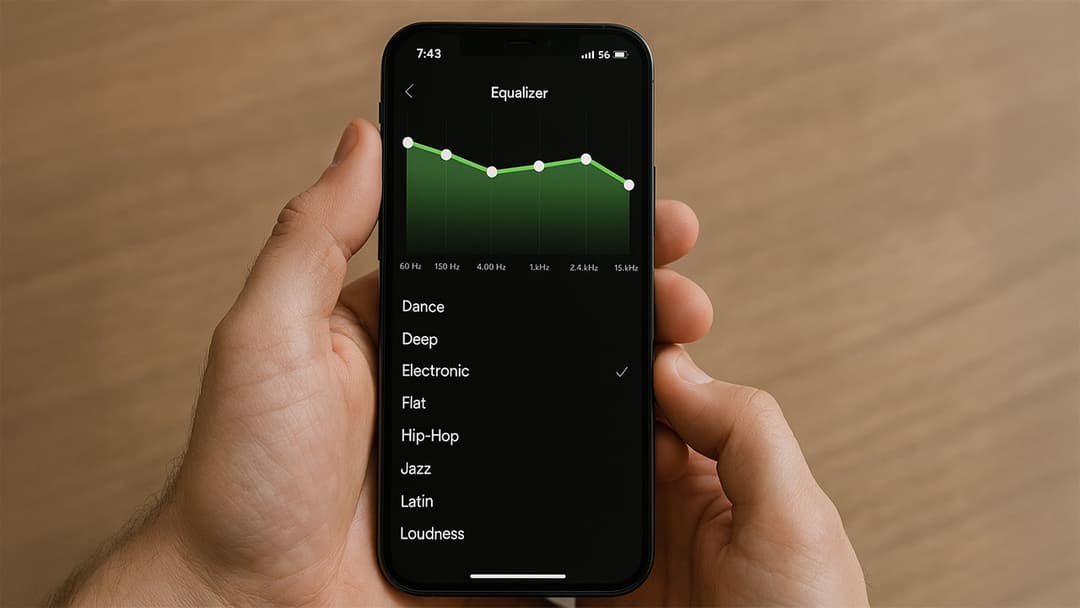
If you’re a music enthusiast looking to get the most out of your Spotify listening experience, you’ve likely wondered about the best Spotify equalizer settings. An equalizer (EQ) allows you to fine-tune audio frequencies and customize the sound output based on personal preference or musical genre. In this guide, we’ll dive into everything you need to know about using and optimizing Spotify’s built-in EQ, whether you’re aiming for punchy bass, clear vocals, or all-around balanced sound.
Why equalizer settings matter?
No two sets of ears are alike. The exact sound that captivates one listener might seem lackluster to another. By adjusting Spotify’s EQ, you can:
- Highlight specific instruments.
- Improve vocal clarity.
- Balance low and high frequencies for any headphones or speakers.
- Enhance the overall audio quality to suit your taste.
Whether you’re a casual listener or an audio perfectionist, these tweaks ensure every track sounds closer to how you want it.
How to access Spotify equalizer settings
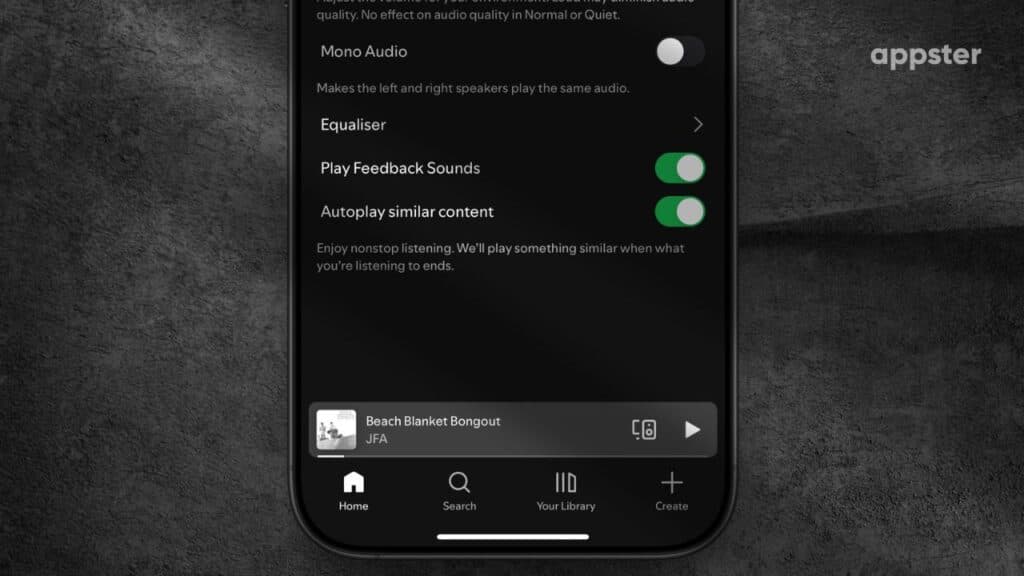
Spotify’s equalizer options are available on the mobile app for both iOS and Android devices. Keep in mind that the exact process varies slightly by platform.
On iOS
- Open Spotify on your iPhone.
- Tap the Settings (gear icon) in the top-right corner.
- Select Playback.
- Tap Equalizer.
- Turn on the Equalizer toggle and choose a preset or manually adjust frequencies.
Note that iOS relies on the phone’s built-in EQ presets rather than Spotify’s own.
On Android
- Launch Spotify on your Android device.
- Tap the Settings (gear icon).
- Scroll down to Audio Quality or Playback (naming varies by phone).
- Look for Equalizer or Audio Effects.
- Enable the feature and pick a preset or customize the sliders.
Some Android devices offer unique sound enhancements, so you may see different EQ layouts.
Best Spotify equalizer settings by genre
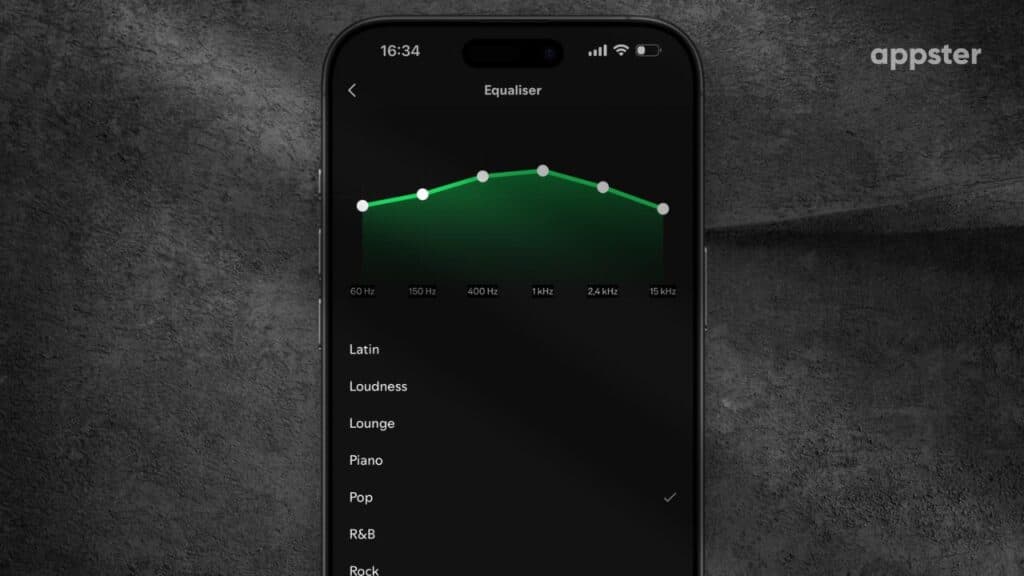
Pop
- Mildly boost mids to emphasize vocals.
- Slightly raise highs for bright instrumentation.
- Keep lows near neutral for a balanced pop sound.
Rock
- Increase low frequencies for a solid bass line.
- Boost mids to highlight guitars.
- Maintain moderate highs to avoid shrillness.
Hip-Hop
- Crank up low frequencies for that signature bass-heavy punch.
- Slightly boost mids to accentuate vocals and snares.
- Keep high frequencies moderate.
Electronic/Dance
- Lift both low and high ends for energetic beats and crisp synths.
- Keep mids level for clear transitions.
Jazz/Classical
- Slightly raise mids and highs for instrument clarity.
- Avoid excessive bass; preserve a balanced soundstage.
Step-by-step guide to customizing your EQ
- Start neutral: Reset all sliders to a flat EQ.
- Listen carefully: Play a song you know well.
- Adjust frequency bands: Make small tweaks to bass, mid, and treble ranges.
- Compare across genres: Quickly test a rock track, a pop song, etc.
- Fine-tune: Keep making small adjustments until you’re satisfied.
Pro tips for optimal sound
- Use quality headphones or speakers: A great EQ can’t fix poor hardware.
- Experiment with presets: These can serve as a solid baseline.
- Consider external EQ apps: Third-party tools might offer even more control.
- Check volume levels: Excessive boosting can lead to distortion.