How to unlock any phone password using emergency call
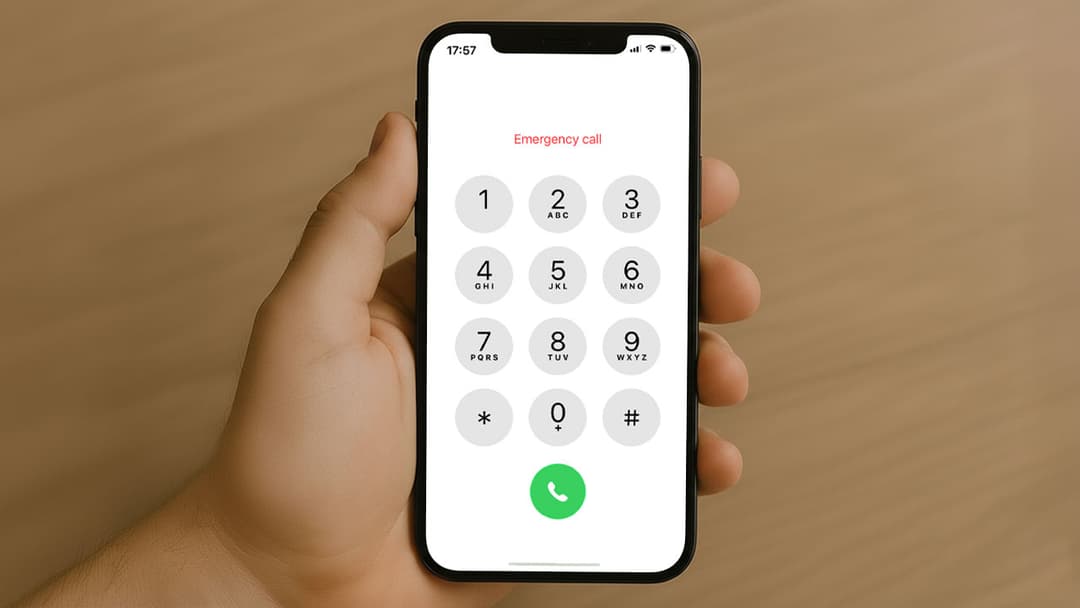
If you’ve forgotten your phone’s password, pattern, or PIN, you might have come across viral hacks claiming you can unlock any phone using the emergency call feature. These tricks usually involve entering special codes or dialing emergency numbers to bypass the lock screen. But do these methods actually work? And what can you safely try if you're locked out of your smartphone?
This guide explains the truth behind the emergency call myth, plus the real and legitimate ways to recover access to your phone—whether you’re using Android or iPhone.
Can you unlock a phone using the emergency call trick?
Short answer: No. Modern smartphones (Android and iPhone) are secured with strong encryption. While older devices once had vulnerabilities that could be abused by manipulating the emergency call interface, those loopholes have long been fixed through security updates.
Emergency call options are limited to:
- Dialing 911, 112, or local emergency services
- Accessing medical ID (if enabled)
Any online trick that claims otherwise is:
- Clickbait
- Outdated
- A scam that may lead to data theft or malware
What emergency call is actually for
The Emergency Call button exists so someone can reach help without unlocking the phone. It is not a backdoor into the device.
Emergency services take misusing these features very seriously—dialing emergency numbers for non‑emergencies can be illegal in many countries.
Safe ways to unlock a phone if you forgot the password
Instead of risky hacks, here are the official methods that work depending on your device and account setup.
How to unlock an Android phone if you forgot the password
1. Use Find My Device (Google)
If your phone is linked to a Google account and online:
- Visit Find My Device on another device
- Sign in with the Google account connected to the locked phone
- Select your device
- Tap Erase device
- Set up your phone again and restore your data if backed up
Relevant term: unlock Android without password using Google account
2. Samsung users: Use Find My Mobile
- Go to Samsung Find My Mobile
- Log in with your Samsung account
- Select your device
- Click Unlock
Your screen lock will be removed remotely.
How to unlock an iPhone when you forgot the passcode
1. Use Find My iPhone (iCloud)
- Visit iCloud.com/find
- Sign in with your Apple ID
- Select the locked iPhone
- Choose Erase iPhone
- Restore a backup through setup
This is sometimes searched as unlock iPhone without passcode using iCloud.
2. Restore using iTunes or Finder
- Turn off the iPhone
- Connect to a computer while entering recovery mode
- Open iTunes or Finder
- Select Restore
You’ll be able to set a new passcode after reinstalling iOS.
What if none of these methods work?
If your phone has no linked account or backups:
- Visit an authorized service provider
- Bring proof of ownership (purchase receipt, box, etc.)
Legitimate technicians cannot unlock stolen devices due to activation lock and security policies.
Tips to avoid getting locked out again
- Enable biometric unlock (Face ID or fingerprint)
- Write down your PIN in a secure place
- Sync your phone with a cloud account
- Set up account recovery options
Prevention is always easier than recovery.