What are OTP messages
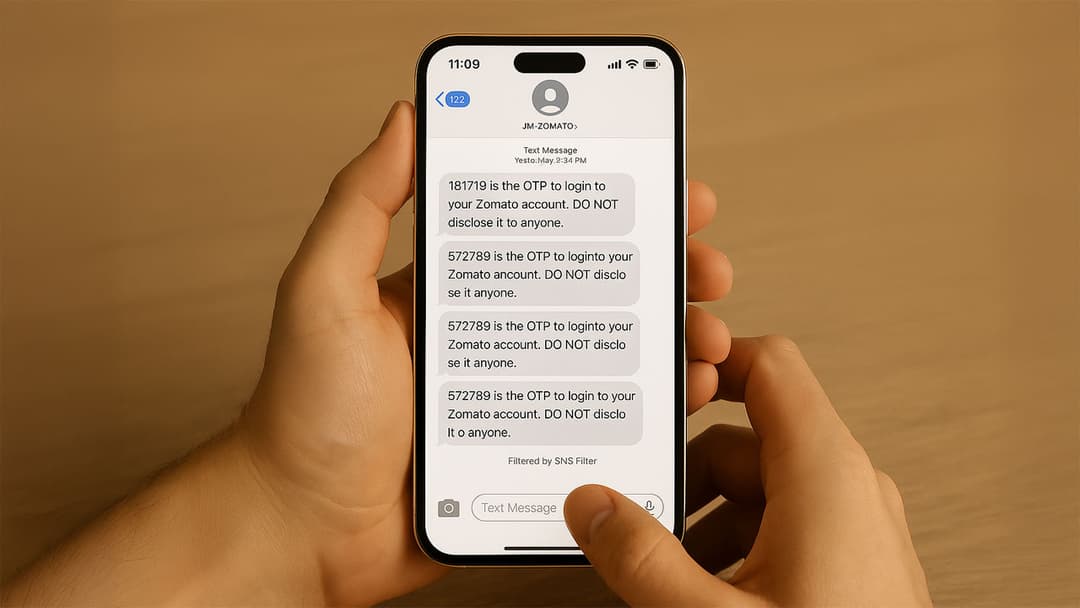
One‑time passwords (OTPs) have quietly become the unsung heroes of online security. Any time you receive a short code by SMS, email, or an authenticator app, you’re witnessing OTPs in action. But what are OTP messages, why do we rely on them, and how do they actually keep our accounts safe? This article breaks it all down in plain English, with practical steps you can follow whether you’re a curious user or a developer rolling out OTP authentication.
What are OTP messages
An OTP message delivers a single‑use numeric or alphanumeric code that verifies a user’s identity. Unlike a traditional static password, an OTP expires after one use or within a preset time (often 30–90 seconds). This makes it dramatically harder for bad actors to reuse stolen credentials.
Key characteristics
- One‑time use – each code works once only.
- Time‑bound – codes expire quickly, limiting replay attacks.
- Channel‑flexible – typically sent via SMS, email, push notification, or authenticator app.
- Randomized – generated by secure algorithms to prevent prediction.
Why businesses send OTP messages
From banks and e‑commerce giants to tiny SaaS startups, OTP SMS has become the go‑to method for implementing two‑factor authentication (2FA) or multi‑factor authentication (MFA).
How OTP messages work: step‑by‑step
Below is the typical flow under the hood. Feel free to skim—or use it as a developer checklist.
1. User requests verification
A user tries to log in, reset a password, or complete a transaction that demands extra assurance.
2. Server generates a unique code
Back‑end logic (or an OTP service provider) creates a random code—commonly six digits.
3. Code is delivered over a secure channel
- SMS OTP via an A2P (application‑to‑person) messaging gateway
- Email OTP using transactional email APIs
- App‑based OTP (e.g., Google Authenticator) generated locally from a shared secret
4. User enters the code
They type the digits into the verification form or approve within an app.
5. Server validates and marks the code as used
If the code, user, and time window all match, the session is upgraded to “verified.” The OTP is immediately invalidated.
6. Code expires automatically
Unused OTPs are purged after their lifetime (e.g., 90 seconds). Attackers can’t brute‑force expired codes.
Implementing OTP authentication in your app
Good news: You don’t need to reinvent cryptography. Modern API providers make OTP rollout surprisingly painless.
Step‑by‑step integration guide
- Choose a communications channel
SMS has near‑universal reach, but email is free and authenticator apps remove carrier costs. - Select a trusted OTP/SMS gateway
Compare Twilio, MessageBird, Amazon SNS, or regional vendors for cost, latency, and deliverability. - Generate secure codes
Use TOTP (RFC 6238) for time‑based codes or HOTP (RFC 4226) for event‑based codes. Never store plain codes—hash them. - Set sensible expiry and attempt limits
30–90 seconds and 3–5 attempts are industry norms. - Log and monitor
Track deliverability, verification failures, and suspicious patterns. - Test across carriers and time zones
International SMS routing can introduce delays—validate before launch.
Best practices for secure OTP messages
- Use HTTPS everywhere to stop interception in transit.
- Mask codes in logs; never store them in plaintext.
- Rate‑limit requests to deter brute‑force attacks.
- Warn users about phishing (OTP codes never require you to share additional personal data).
- Offer backup methods such as authenticator apps or hardware tokens for users without SMS coverage.
Common challenges and quick fixes
OTP messages strike a balance between strong security and user convenience. By delivering short‑lived codes through familiar channels, they plug the biggest hole in password‑only authentication. Whether you’re protecting your personal accounts or building an app, understanding how OTPs work—and how to implement them correctly—keeps you one step ahead of cyber‑threats.